Create a Github repository 🔗
In order for the code to be hosted on the web (using Netlify, which we will get into later), we will store the code for our website remotely on Github .
1. If you haven’t already, make sure you have an account setup with Github .
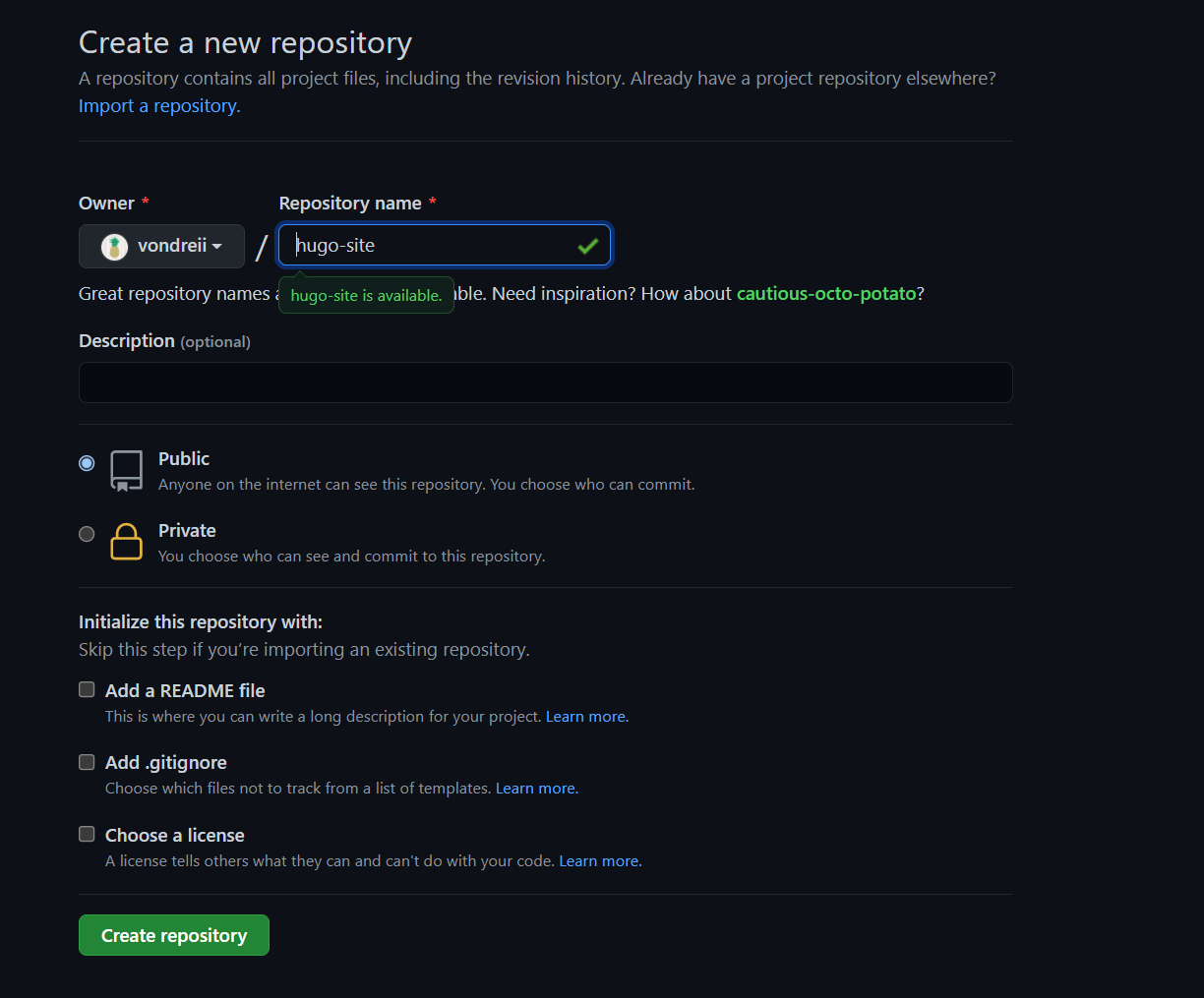
2. On Github, create a new repository (A Github repository is a place where you can store your code for a project).
- Add a name for the repository. We are using “hugo-site”
- You can make your repository public or private
- Leave the other options as their defaults
- Click on Create repository
3. Open the Git Bash terminal, and navigate to the local folder in your computer where you are storing the files for your Hugo Website. Run the commands:
git add .
git commit -m "first commit"
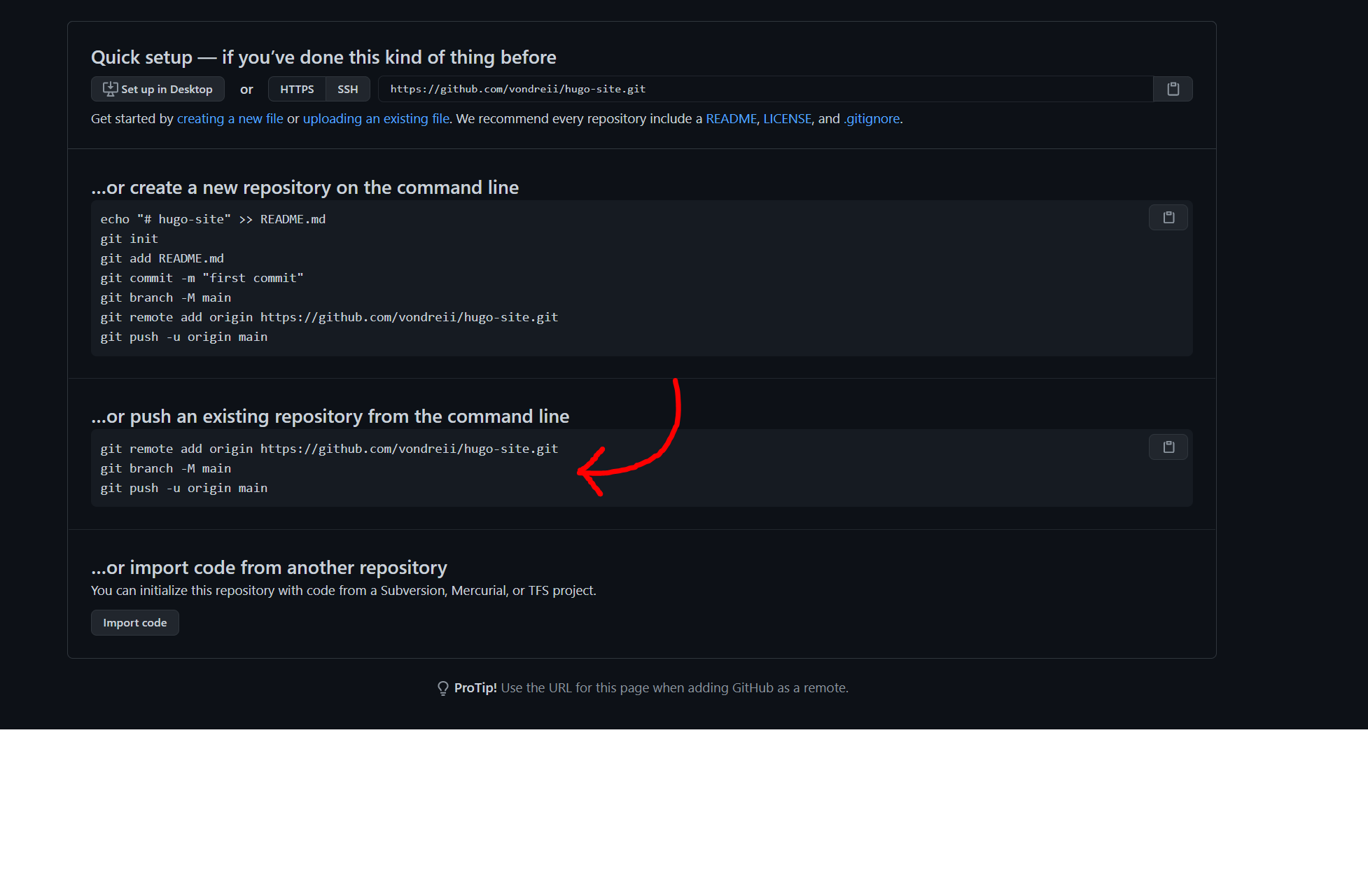
4. After that, run three more commands (which are found on the Github page after you have created the repository).
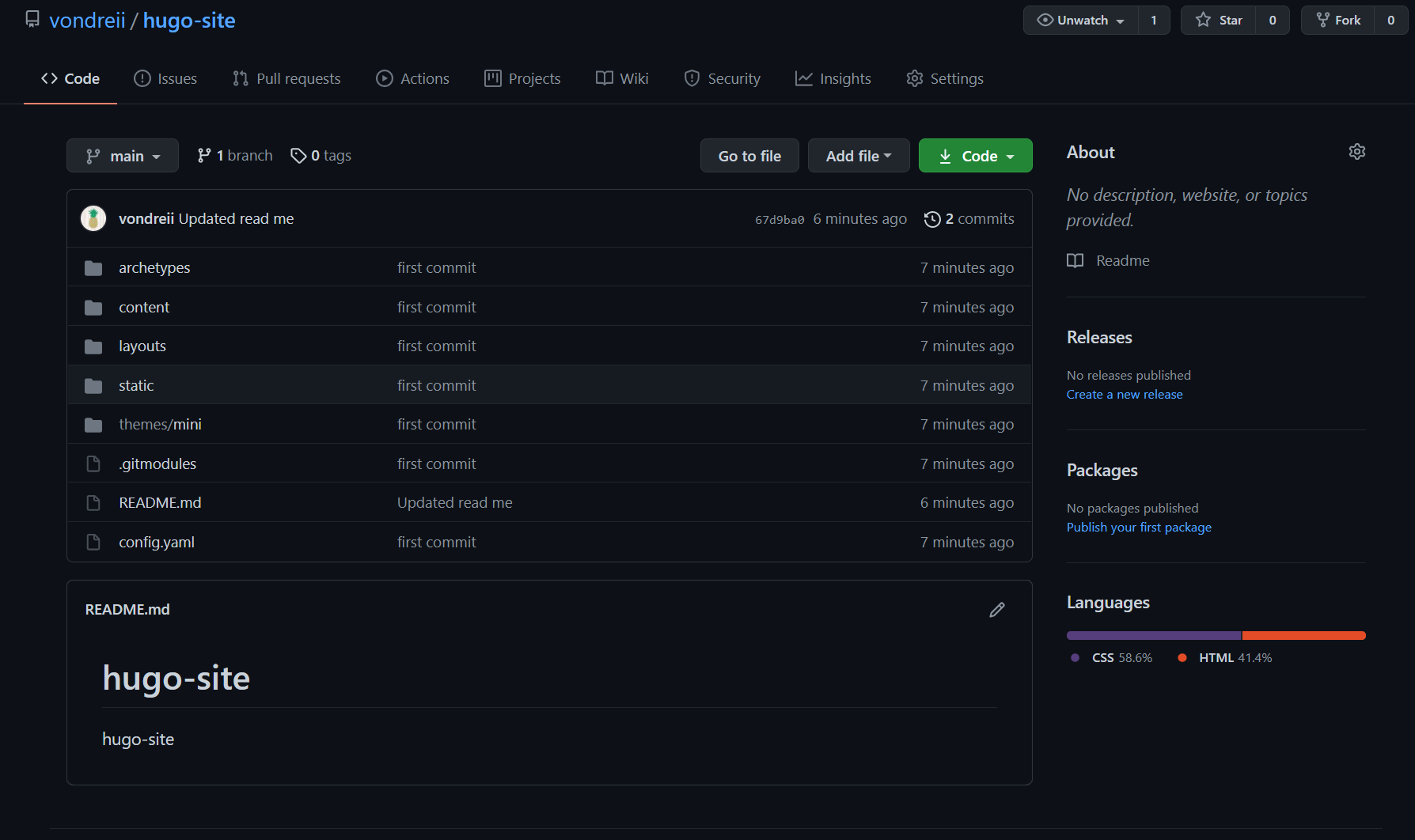
If completed successfully, you should be able to see your code stored in your Github repository when you refresh the page: